Odoo
ERP and the shop floor: who should do what?
Your ERP plans the work. Something else needs to know what is actually happening. A practical look at where ERP ends and shop-floor execution begins.
OpsIQ manufacturing visibility
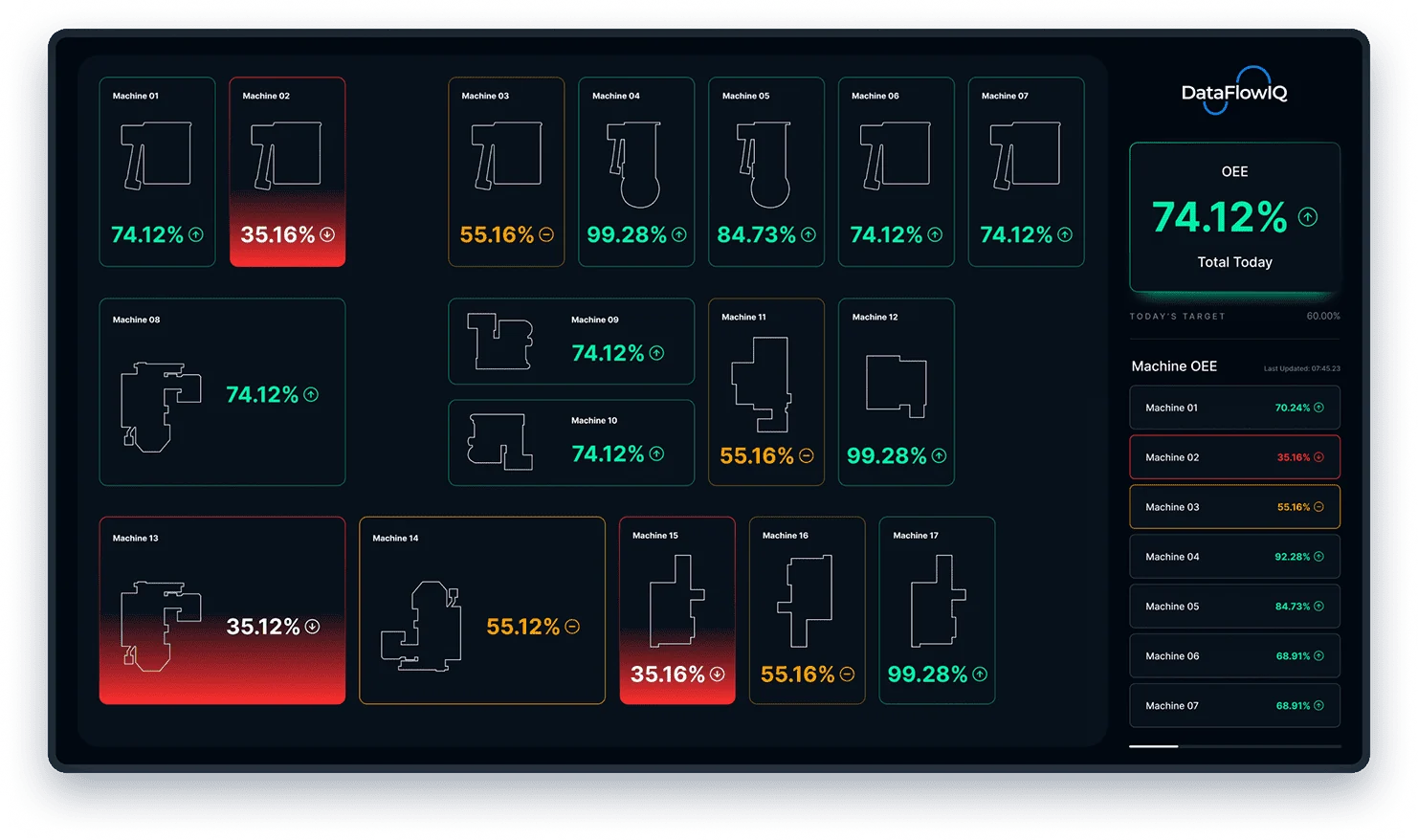
OpsIQ brings machine data and manual work into one live picture of production, downtime and energy. Built and supported by DataFlowIQ, a team that has spent years running technology inside factories.
Where OpsIQ helps
When answers depend on walking the floor, chasing paperwork or waiting for a report, problems are found too late. OpsIQ makes them visible while there is still time to act.
See which stage every order or item has reached, without paper updates or phone calls.
Combine machine signals with operator reasons to see where and why production stops.
Link energy use to machine activity and spot consumption while nothing is being made.
Connect shop-floor data with ERP and reporting so everyone works from the same facts.
OpsIQ in use
Machines report what they are doing. Operators add what machines can’t know. Supervisors and managers see one picture of what is happening, and what needs attention next.
Suitable machine, PLC and power-meter signals are connected, and operators record starts, stops, progress and downtime reasons on simple screens.
Each station gets its own live page with running and idle time, output against target and the reasons behind every stop.
Factory dashboards and wallboards keep priorities visible to everyone, and paid plans add email and Microsoft Teams alerts when a threshold or condition needs attention.
Why DataFlowIQ
DataFlowIQ was founded by Craig Douglas, who led manufacturing technology at Wren Kitchens and ilke Homes. OpsIQ grew out of that experience: practical tools for people who need to know what is happening on the floor, not another system to feed.
Ways to begin
A walkthrough built around the way you work: your type of production, your questions and the data you already have.
Book an OpsIQ demoPick one station, line or process. We agree the data, connect it, configure the views and review the results with you before expanding.
Discuss a first deploymentBeyond the shop floor
Use OpsIQ on its own, or alongside our Odoo and IT services. Each stands on its own: none is a requirement for the others.
Implementation, integration, development, training, support and hosting, with depth in MRP, inventory, purchasing, quality and complex or engineered-to-order processes.
Managed devices, networks, service desk, security, backup and cloud, designed around shop-floor connectivity, shared devices and multi-site operations.
Resources
Odoo
Your ERP plans the work. Something else needs to know what is actually happening. A practical look at where ERP ends and shop-floor execution begins.
Manufacturing improvement
A machine that is switched on isn’t necessarily making anything. How to build a picture of lost time that your team can actually act on.
Manufacturing improvement
Job cards and whiteboards tell you what happened. Here is how to see what is happening, in workshops where skilled people, not machines, do most of the work.
Tell us how you work and we will show you what OpsIQ could make visible, and what a sensible first step would be.